Why a Crisis Communications Plan Matters (and What Trips People Up)
When an unexpected event—data breach, product recall, natural disaster, or a high‑profile accusation—hits your organization, the first few hours set the tone for everything that follows. A well‑crafted crisis communications plan (CCP) gives you a playbook for who says what, to whom, and when. It prevents the scramble for information, curbs rumors, and protects brand credibility.
Most teams stumble on two things:
- Scope creep – they try to cover every imaginable scenario, ending up with a document that’s too bulky to use in a hurry.
- Execution gaps – they identify roles but forget to rehearse them, so the plan looks good on paper but collapses under pressure.
The guide below walks you through a lean, actionable approach that keeps the plan usable and rehearsable.
Step by Step
- Define the trigger criteria
List the specific events that automatically activate the CCP (e.g., “any incident that could affect ≥ 5 % of customers,” “any media story that reaches national outlets,” “any regulatory notice”). Keep the list to 5–7 items; anything beyond that belongs in a separate “incident response” document.
- Assemble a crisis team roster
Identify four core roles and assign a primary and backup person for each:
- Spokesperson – senior leader authorized to speak publicly.
- Message Coordinator – drafts statements, FAQs, and internal briefings.
- Operations Liaison – gathers facts from technical, legal, or safety teams.
- Channel Manager – controls social media, website, and press release distribution.
Capture name, title, phone, email, and an out‑of‑office backup in a one‑page “quick‑reference sheet.”
- Map stakeholder groups and preferred channels
Create a matrix that pairs each audience (employees, customers, investors, regulators, media, partners) with the fastest, most trusted communication channel (e.g., internal Slack, email blast, dedicated crisis webpage, press release, regulator portal). Note any legal constraints (e.g., “no customer email until regulator clearance”).
- Draft core messaging blocks
Write three reusable paragraphs:
- Acknowledgement – what happened, when, and that you’re responding.
- Impact statement – who is affected and how.
- Action plan – immediate steps you’re taking and where updates will appear.
Keep each block under 100 words; they can be combined or trimmed in real time.
- Establish an approval workflow
Decide who must sign off on each message type. For example, a “media statement” may need legal → senior exec → spokesperson approval, while an “internal alert” can go straight from the Message Coordinator to the Operations Liaison. Document the sequence as a flowchart with expected turnaround times (e.g., “Legal ≤ 30 min”).
- Set up monitoring and escalation triggers
Assign the Channel Manager to monitor media, social listening, and internal ticketing systems. Define thresholds that move the incident from “low” to “high” severity (e.g., “≥ 200 social mentions in 30 min” or “regulator request received”). When a threshold is crossed, the CCP automatically escalates to the full crisis team.
- Schedule rehearsals and post‑mortems
Conduct tabletop drills twice a year. Use a realistic scenario, run through the entire workflow, and record timing for each step. After each drill, capture lessons in a “Plan Update Log” and assign a responsible person to implement the change within two weeks.
A Simple Structure to Follow
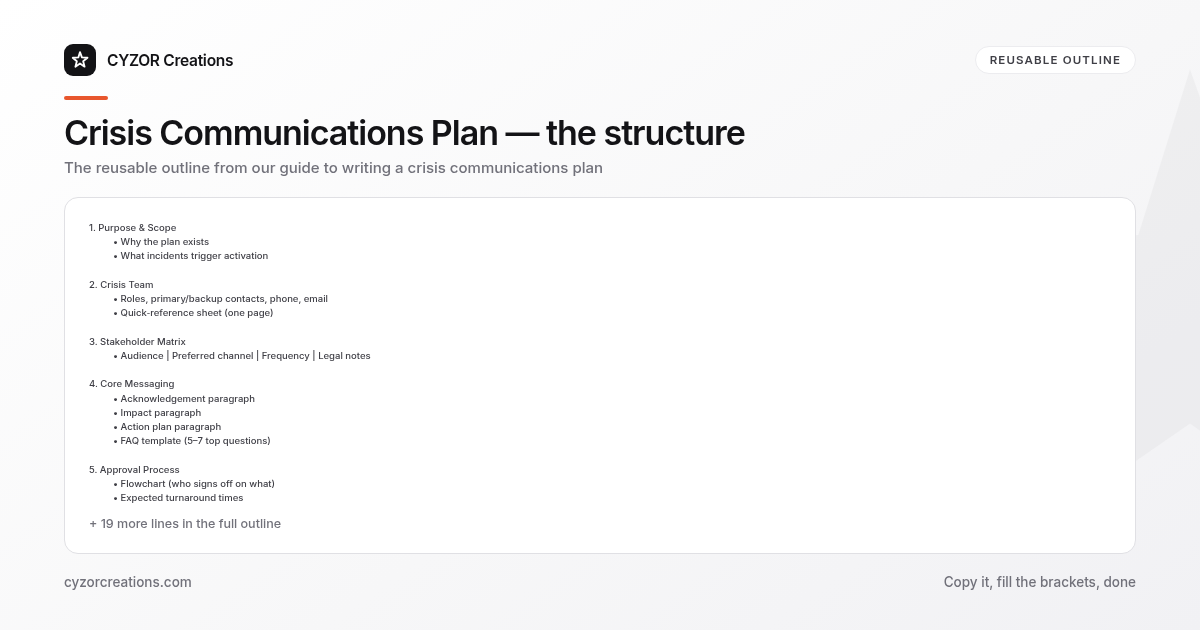
Below is a reusable outline you can copy into a Word or Google document. Each heading corresponds to a section you’ll fill in once and then update as needed.
1. Purpose & Scope
 • Why the plan exists
 • What incidents trigger activation

2. Crisis Team
 • Roles, primary/backup contacts, phone, email
 • Quick‑reference sheet (one page)

3. Stakeholder Matrix
 • Audience | Preferred channel | Frequency | Legal notes

4. Core Messaging
 • Acknowledgement paragraph
 • Impact paragraph
 • Action plan paragraph
 • FAQ template (5–7 top questions)

5. Approval Process
 • Flowchart (who signs off on what)
 • Expected turnaround times

6. Communication Channels
 • Social media handles
 • Crisis website URL
 • Press release distribution list
 • Internal alert system (e.g., Slack, email)

7. Monitoring & Escalation
 • Tools & metrics (mentions, ticket volume)
 • Thresholds and escalation path

8. Training & Exercise Schedule
 • Drill dates, scenario list, responsible parties
 • Post‑mortem documentation process

9. Appendices
 • Template press release
 • Sample internal memo
 • Legal disclaimer
Copy the skeleton, fill in the specifics for your organization, and store the file in a shared, read‑only folder with a “latest version” tag.
Common Mistakes to Avoid
- Leaving the spokesperson undefined – without a single, pre‑approved voice, media outlets will chase multiple executives, creating contradictory statements.
- Relying on “once‑a‑year” updates – a plan that hasn’t been reviewed in 12 months is likely to contain outdated contacts or compliance requirements.
- Embedding the entire crisis response in the CCP – technical forensics, legal filings, and remediation steps belong in separate SOPs; the CCP should focus on communication only.
- Using jargon in core messages – phrases like “operational disruption” or “service degradation” confuse customers; plain language wins trust.
- Skipping the post‑drill debrief – without a documented “what worked, what didn’t,” the same gaps reappear in the next real incident.
A Short Example
> Internal Alert – 09:15 AM, March 12
> Subject: Potential data breach affecting customer accounts
> From: Jane Doe, Message Coordinator (jane.doe@company.com)
> To: All staff – urgent (Slack #crisis‑alert)
>
> Acknowledgement: At approximately 08:45 AM we detected unauthorized access to a subset of our user database.
> Impact: The breach appears limited to email addresses and hashed passwords for roughly 3,200 accounts. No payment information was compromised.
> Action: Our security team is isolating the affected segment and resetting passwords. A detailed FAQ will be posted on the internal crisis page by 09:45 AM. Please do not discuss this incident outside the company until the official statement is released.
>
> Next steps:
> 1. Ops Liaison to confirm scope (by 09:30 AM).
> 2. Legal to review wording (by 09:40 AM).
> 3. Spokesperson to approve external statement (by 09:45 AM).
The excerpt shows the tight, time‑stamped format that lets anyone glance at the situation and know exactly what to do next.
Pro Tips
- Keep a “one‑pager” on every executive’s desk – a laminated sheet with the crisis team contacts and the activation trigger list. In a power outage or network failure, the paper copy is still reachable.
- Pre‑write a “holding statement” that can be released within minutes of activation. It should say you’re aware, you’re investigating, and you’ll provide updates—nothing more. This buys you time to craft a detailed response.
- Use a dedicated crisis URL (e.g.,
company.com/crisis) that is always live, even if the main site is down. Populate it with a short statement, a contact email, and a link to the latest FAQ. - Assign a “silent‑watch” person who monitors the situation but does not speak unless the escalation threshold is met. This prevents premature messaging that could lock you into a narrative before facts are verified.
- Document the “lessons‑learned” date on every plan revision. A simple line—“Updated contact list, 04‑2026”—makes it obvious at a glance whether the document is current.
When the unexpected strikes, you’ll already know who says what, how, and when—protecting both reputation and stakeholder trust.