Why a case‑study suite matters – and where writers stumble
A case‑study suite is more than a single success story; it is a set of studies that lets prospects compare outcomes, see patterns, and trust that your solution works across contexts. When the suite is coherent, decision‑makers can skim one page and still grasp the breadth of impact.
What trips most people up is treating each case as an isolated narrative. The result is a patchwork of anecdotes that feel disjointed, repeat the same data, or leave readers guessing why the next story matters. A well‑planned suite solves that by using a repeatable template, aligning each story with the same business questions, and weaving a thread that ties them together.
Step by Step
- Define the audience and decision criteria
Identify the buyer persona (e.g., VP of Operations, Chief Marketing Officer) and list the three‑to‑five criteria they use to evaluate vendors (cost, speed of implementation, ROI, risk mitigation, etc.).
Write these criteria on a single sheet; every case you include must address at least one of them.
- Select diverse yet comparable customers
Choose 4‑6 clients that span different industries, company sizes, or geographic regions but share a common problem that your solution solves. Diversity shows scalability; similarity ensures relevance.
- Gather quantitative results first
Before drafting prose, pull the hard numbers: percentage revenue lift, time saved, error reduction, churn decline, etc. Aim for at least two metrics per case, and verify them with the client’s finance or analytics team.
- Interview the right stakeholders
Schedule a 30‑minute call with a senior champion (who can speak to strategic impact) and a day‑to‑day user (who can describe operational change). Prepare a 10‑question script that covers: the initial challenge, decision process, implementation timeline, and measurable outcomes.
- Draft each story using the reusable outline
Fill in the template (see the next section) with the interview quotes, metrics, and a brief “before‑after” narrative. Keep the tone factual; avoid marketing fluff. Aim for 250‑300 words per case.
- Create a unifying executive summary
Write a 150‑word overview that highlights the common thread across the suite—e.g., “Across five industries, companies reduced onboarding time by an average of 42 % while increasing first‑year revenue by 18 %.” This summary sits at the top of the suite and guides the reader.
- Design for quick scanning
Use a two‑column layout: left column for the headline, client name, and key metrics; right column for the narrative. Add a “Key Takeaway” bullet at the end of each case. Export the suite as a PDF with searchable text and a clickable table of contents.
A Simple Structure to Follow
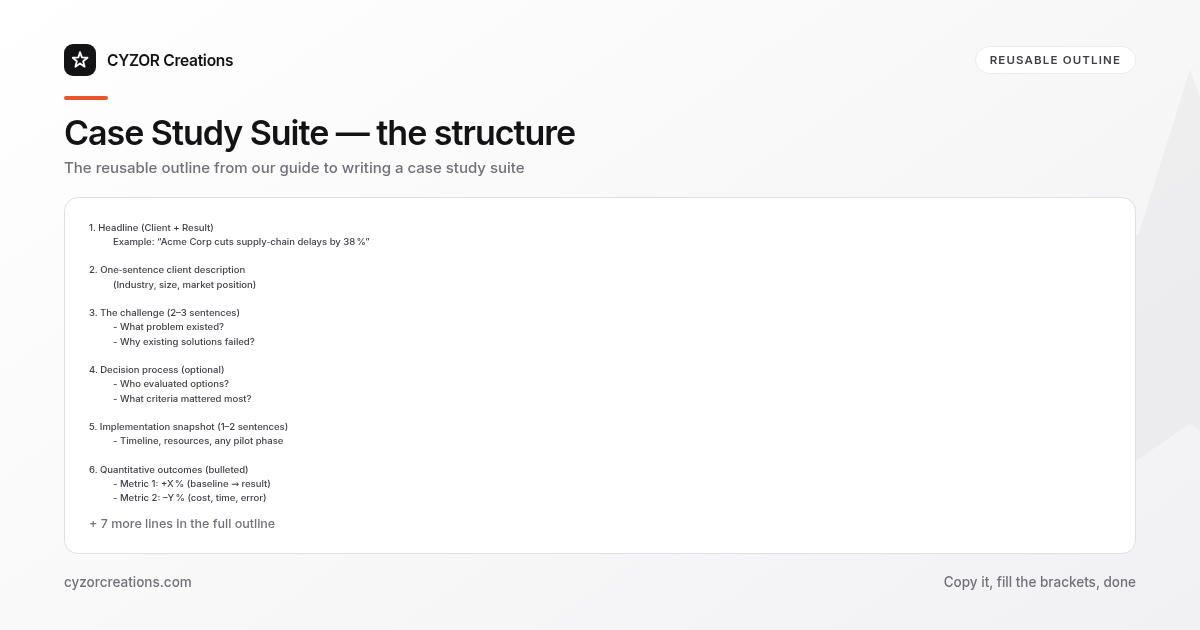
1. Headline (Client + Result)
 Example: “Acme Corp cuts supply‑chain delays by 38 %”

2. One‑sentence client description
 (Industry, size, market position)

3. The challenge (2–3 sentences)
 - What problem existed?
 - Why existing solutions failed?

4. Decision process (optional)
 - Who evaluated options?
 - What criteria mattered most?

5. Implementation snapshot (1–2 sentences)
 - Timeline, resources, any pilot phase

6. Quantitative outcomes (bulleted)
 - Metric 1: +X % (baseline → result)
 - Metric 2: –Y % (cost, time, error)

7. Qualitative impact (2 sentences)
 - Quote from senior champion
 - Quote from day‑to‑day user

8. Key takeaway (single bullet)
 - The core lesson for the reader
Copy this skeleton into a Word or Google doc, replace the placeholders, and you have a ready‑to‑publish case. Because every case follows the same order, the suite reads like a single, multi‑chapter story rather than a random collection.
Common Mistakes to Avoid
- Leaving out hard data. A narrative without numbers feels anecdotal; always anchor the story in measurable results.
- Repeating the same metric across all cases. If every case only shows “cost saved,” the suite looks shallow. Mix revenue, efficiency, and risk metrics.
- Using jargon that the target audience doesn’t speak. Replace “synergy” and “leverage” with the concrete terms the decision‑maker uses daily.
- Over‑loading the narrative with background. The client description should be a clause, not a paragraph; the reader wants the problem and the payoff.
- Neglecting the executive summary. Without a top‑level synthesis, busy executives will skim past the suite entirely.
A Short Example
Headline: “BrightHealth reduces patient onboarding time by 45 %”
Client: BrightHealth, a regional health‑insurance provider with 3,200 employees.
The challenge:
BrightHealth’s manual intake process required patients to fill out 12 separate forms, leading to an average onboarding delay of 14 days and a 12 % drop‑off before policy activation.
Implementation snapshot:
The team ran a three‑month pilot in two clinics, integrating the new digital intake platform with existing EMR software. No additional staff were hired.
Outcomes:
- Onboarding time: 14 days → 7.7 days (‑45 %).
- Activation rate: 88 % → 96 % (+8 percentage points).
- Administrative cost per patient: $120 → $68 (‑43 %).
Qualitative impact:
“Patients now receive their coverage cards within a week, which has dramatically improved satisfaction,” says the VP of Member Services. “Our staff can focus on care coordination instead of paperwork,” adds a senior nurse manager.
Key takeaway:
Digitizing intake cuts delays and boosts activation without expanding the workforce.
Pro Tips
- Align each case with a single decision criterion. If a prospect cares most about ROI, highlight revenue impact; if they prioritize risk, foreground compliance improvements. This makes the suite instantly relevant.
- Use “before‑after” tables for visual clarity. A two‑row table (Baseline | After) under each metric lets readers compare numbers at a glance, especially when the PDF is printed.
- Secure a client‑approved quote that includes a specific metric. For example, “Our churn dropped from 6 % to 3.2 % within six months,” is far more credible than a vague “significant improvement.”
- Refresh the suite annually. Replace the oldest case with a newer one that reflects the latest product capabilities or market conditions; this signals ongoing relevance.
- Add a “Next Steps” callout at the end of the executive summary. A short line such as “Contact our solutions team to see how these results translate to your organization” nudges the reader toward conversion without sounding salesy.