Why a good sales page matters – and what trips people up
A sales page is the single piece of copy that convinces a visitor to become a customer. It sits at the crossroads of curiosity and commitment, so every word, headline, and visual cue matters. Most writers stumble on three things: they try to cram every benefit into one paragraph, they forget to address the reader’s objections, and they leave the call‑to‑action (CTA) vague. The result is a page that feels like a brochure rather than a persuasive conversation.
Step by Step
- Define the core promise – Write a one‑sentence statement that captures the transformation the reader will experience. Example: “Turn chaotic spreadsheets into a single dashboard that saves you two hours a day.” Keep it specific; vague promises (“increase productivity”) rarely stick.
- Research the target’s pain points – List at least three frustrations your audience voices on forums, reviews, or support tickets. Quantify them when possible (e.g., “spending 30 % of the week chasing missing data”). This research fuels the body copy and shows you understand the reader’s world.
- Craft a headline that mirrors the core promise – Use the formula [Benefit] + [Timeframe/Result]. A headline like “Cut data‑gathering time from 4 hours to 15 minutes” instantly tells the reader what they gain. Test two variations: one that emphasizes speed, another that emphasizes cost savings; choose the higher‑converting one.
- Write a “hook” paragraph – Open with a vivid scenario that places the reader in the problem. “Imagine opening your inbox and seeing a clean report ready for the board, instead of a half‑finished spreadsheet you’ve been chasing all morning.” The hook should be no longer than three sentences and end with a question that leads naturally to the solution.
- Present the solution and its three key features – Break the product or service into three distinct features, each paired with a concrete benefit. Use a “Feature → Benefit” bullet format:
- Live sync → data updates automatically, eliminating manual entry.
- One‑click export → generate PDF reports in seconds, freeing up meeting prep time.
- Role‑based access → keep sensitive data secure while collaborators see only what they need.
Keep each bullet under 20 words; brevity forces clarity.
- Address objections with proof – Anticipate the top three doubts (price, complexity, risk). For each, provide a short piece of evidence: a testimonial, a statistic, or a guarantee. Example: “Our 97 % retention rate proves that users stay because the tool saves them at least 10 hours per month.”
- Write a crystal‑clear CTA – State exactly what the reader should do, and what they’ll get immediately. “Click the button below to start a 14‑day free trial and receive a personalized onboarding session.” Use a button‑style verb (“Start”, “Get”, “Claim”) and repeat the CTA at the bottom of the page.
- Add a post‑CTA reassurance – One sentence below the button that reduces friction: “No credit card required; cancel anytime.” This lowers the perceived risk and nudges the indecisive.
- Proofread for tone and readability – Read the page aloud. Aim for a conversational tone (2‑3 % reading level) and eliminate jargon. Replace any word longer than three syllables with a simpler alternative unless it’s a technical term the audience expects.
- Run a quick split test – Change one element (headline, CTA color, or testimonial placement) and measure conversion for at least 48 hours before deciding. Data‑driven tweaks keep the page improving over time.
A Simple Structure to Follow
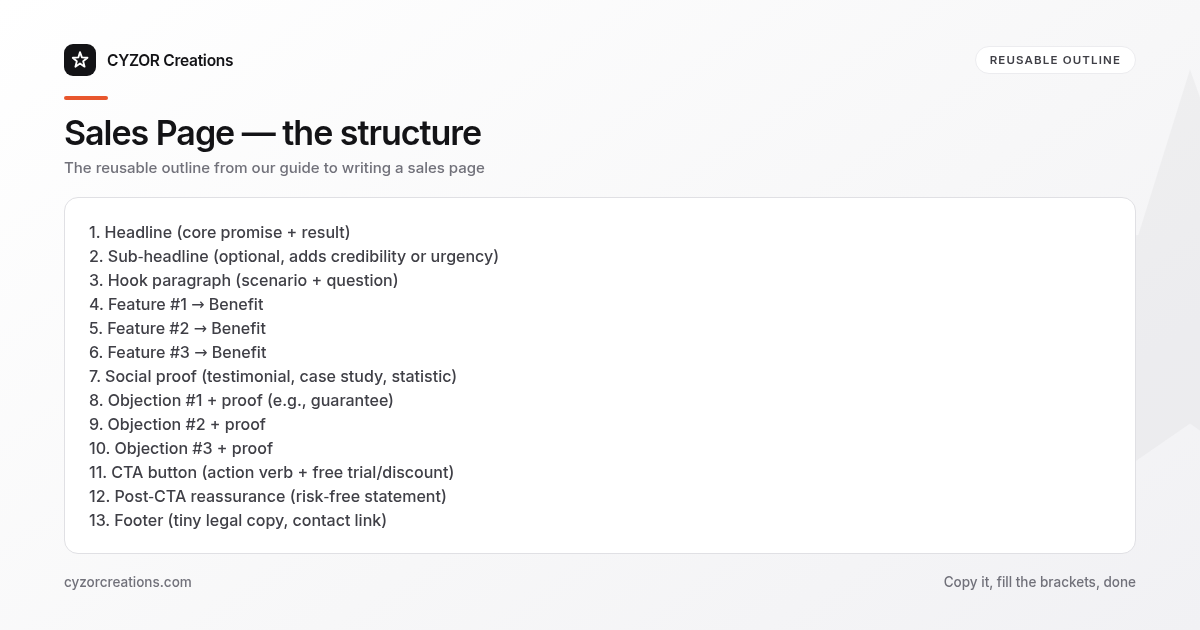
1. Headline (core promise + result)
2. Sub‑headline (optional, adds credibility or urgency)
3. Hook paragraph (scenario + question)
4. Feature #1 → Benefit
5. Feature #2 → Benefit
6. Feature #3 → Benefit
7. Social proof (testimonial, case study, statistic)
8. Objection #1 + proof (e.g., guarantee)
9. Objection #2 + proof
10. Objection #3 + proof
11. CTA button (action verb + free trial/discount)
12. Post‑CTA reassurance (risk‑free statement)
13. Footer (tiny legal copy, contact link)
Copy the skeleton into any new page and replace the placeholders with your own specifics. The pattern works for SaaS, consulting, and even physical products because it balances emotional pull with logical reassurance.
Common Mistakes to Avoid
- Feature‑only copy – Listing what the product does without tying each feature to a tangible benefit confuses the reader.
- Overloading the page – More than three benefits or five testimonials dilute focus; keep the narrative tight.
- Vague CTAs – “Learn more” or “Submit” tells the reader nothing about the next step.
- Ignoring mobile layout – If the headline or CTA wraps awkwardly on a phone, conversion drops dramatically.
- Skipping proof – No data, no testimonials, no guarantees; readers assume the worst.
A Short Example
> Headline: “Publish a newsletter in 10 minutes, not 2 hours.”
> Hook: “You’ve just finished drafting a brilliant article, but the email editor still looks like a maze. What if you could push the finished piece to 5,000 subscribers with a single click?”
> Features:
> - Drag‑and‑drop builder → design professional layouts without code.
> - One‑click list import → add new contacts instantly, no CSV hassle.
> - Analytics dashboard → see open rates in real time, so you can tweak tomorrow’s subject line.
> Proof: “Our users report a 45 % increase in click‑through rates within the first month.”
> CTA: “Start your free 14‑day trial – no credit card needed.”
The excerpt follows the template, shows a clear benefit, and ends with a low‑friction CTA.
Pro Tips
- Use the “you‑vs‑they” contrast – Position the reader’s current state (“spending hours on data”) against the future state (“freeing that time for strategy”). The mental shift fuels desire.
- Insert a scarcity cue sparingly – If you have a limited‑time offer, place it just above the CTA (“Only 12 spots left this week”). Too many scarcity statements feel manipulative.
- Use numbers in every benefit – “Save 3 hours per week” beats “save time.” Quantified gains are easier for the brain to process.
- Write the CTA before the body – Knowing the exact action you want the reader to take helps you shape the supporting copy toward that goal.
- Audit the page for “dead ends” – Click every link, hover over every image, and ensure every element leads the visitor closer to the CTA. Any stray navigation or unrelated footer link can dilute conversion.
Follow the steps, reuse the structure, and keep the checklist handy. A sales page that respects the reader’s time, answers their doubts, and tells them exactly what to do converts far better than a page that tries to be everything at once.