Why a Monthly Newsletter Pack Matters (and What Trips People Up)
A monthly newsletter pack is the collection of all the pieces you’ll send out over a calendar month—preview teasers, the main issue, follow‑up links, and any supplemental content. When done right it keeps readers engaged, reinforces your brand voice, and turns a one‑off blast into a predictable rhythm.
Most creators stumble on three things: scope creep (trying to cram too many topics into one issue), inconsistent timing (sending the first teaser one week, the main copy three weeks later, then forgetting the follow‑up), and lack of a reusable skeleton (each month feels like a fresh start, which wastes editing time).
Step by Step
- Set the calendar – Open a calendar (paper or digital) and block three dates:
- Teaser release (Day 1 of the month),
- Main issue (Day 10‑12),
- Follow‑up (Day 22‑24).
Mark each slot with a reminder to “draft” and a separate reminder to “finalize”.
- Define the theme – Choose one overarching angle that ties the month together (e.g., “Spring productivity hacks” or “Quarter‑end financial health”). Write the theme as a one‑sentence headline and keep it visible on your desk. All articles, links, and calls‑to‑action should reference this theme.
- Gather source material – By Day 3, collect any external links, interview quotes, data points, or internal updates you plan to include. Store them in a single folder named
2024‑07‑Newsletter‑Pack. Label each file with a short tag (e.g.,stats‑Q2.pdf,partner‑quote.txt). This prevents last‑minute scrambling. - Draft the teaser – Write a 150‑word preview that teases the main issue’s biggest story. Include a hook (question, statistic, or anecdote) and a clear CTA (“Mark your calendar for the full guide on Friday”). Keep the tone consistent with your brand voice.
- Write the main issue – Follow the reusable outline (see below). Aim for 800‑1 200 words total, split into 3‑5 sections. Insert at least one visual cue (chart, illustration, or pull‑quote) to break up the text. Finish with a primary CTA (download, register, or reply) and a secondary CTA (share on social).
- Create the follow‑up – This is a 100‑200 word “what you might have missed” that links back to the main issue, highlights a secondary resource, and invites feedback. Schedule it to go out 10‑12 days after the main issue.
- Edit, test, and schedule – Run a two‑pass edit: first for clarity and flow, second for grammar and brand consistency. Then send a test email to a colleague on a mobile device; verify that links work, images load, and the subject line displays fully. Finally, schedule all three emails in your sending platform.
A Simple Structure to Follow
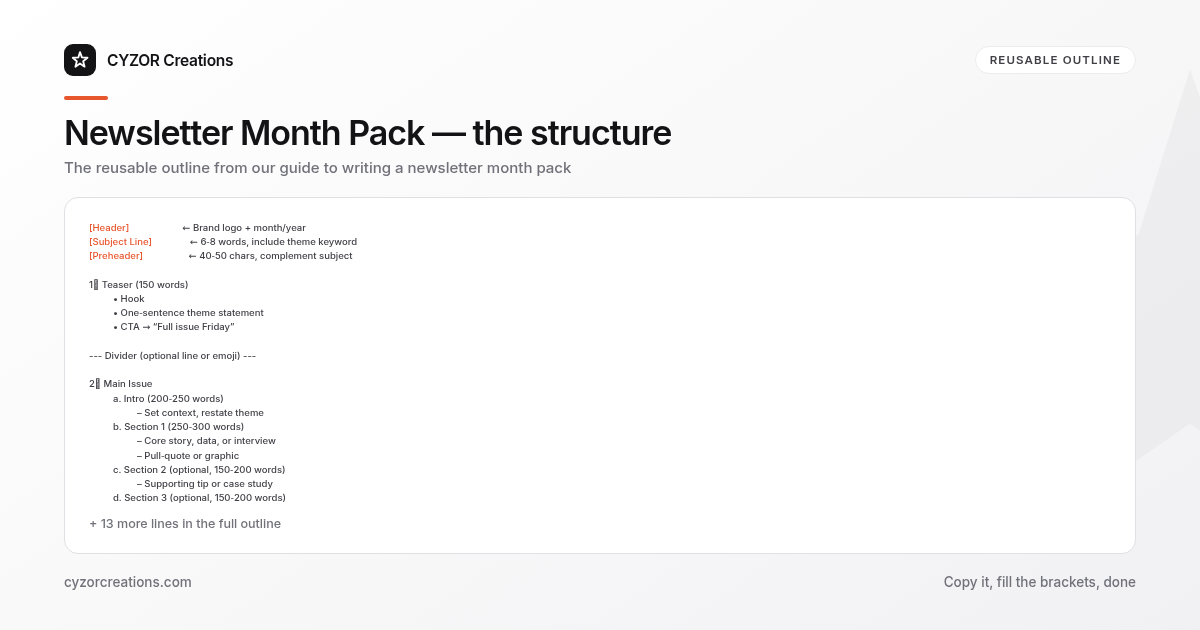
[Header] ← Brand logo + month/year
[Subject Line] ← 6‑8 words, include theme keyword
[Preheader] ← 40‑50 chars, complement subject

1. Teaser (150 words)
 • Hook
 • One‑sentence theme statement
 • CTA → “Full issue Friday”

--- Divider (optional line or emoji) ---

2. Main Issue
 a. Intro (200‑250 words)
 – Set context, restate theme
 b. Section 1 (250‑300 words)
 – Core story, data, or interview
 – Pull‑quote or graphic
 c. Section 2 (optional, 150‑200 words)
 – Supporting tip or case study
 d. Section 3 (optional, 150‑200 words)
 – Quick resource list or FAQ
 e. Closing (100‑150 words)
 – Recap, primary CTA, secondary CTA

--- Divider ---

3. Follow‑up (100‑200 words)
 • “In case you missed it…”
 • Link to main issue
 • One extra resource
 • Feedback CTA

[Footer] ← Unsubscribe, address, social icons
Copy this skeleton into a new document for every month. Replace the placeholder text, adjust section counts as needed, and you’ll have a ready‑to‑publish pack in under two hours.
Common Mistakes to Avoid
- Overloading the teaser – A teaser should intrigue, not inform. If you give away the main headline, the main issue loses impact.
- Skipping the follow‑up – Readers who missed the main email will never see your content, and you lose an opportunity to gather feedback.
- Changing the theme mid‑month – Consistency builds trust. If you pivot, update all three pieces, not just the main issue.
- Neglecting mobile preview – More than half of newsletter opens occur on phones; a long subject line or broken image will look sloppy.
- Forgetting a clear CTA – Every piece needs a single, measurable action (e.g., “Download the checklist”). Vague prompts dilute results.
A Short Example
> Subject: 🌱 Spring Productivity Hacks – Your Guide Is Here!
> Preheader: Unlock three quick routines to boost your workflow this season.
>
> Teaser (Day 1):
> “Ever wonder why your to‑do list feels endless? This month we break down three science‑backed habits that cut daily friction by 30 %. The full guide lands this Friday—don’t miss the printable checklist that will keep you on track.”
>
> Main Issue (Day 12):
> Intro – “Spring isn’t just for gardens; it’s the perfect time to prune your work habits…”
> Section 1 – “1. The 2‑Minute Rule: How a simple timer can eliminate procrastination…” (includes a bar chart of task completion rates).
> Section 2 – “2. Email Batching: A case study from a mid‑size agency that reduced inbox time by 45 %.”
> Closing – “Pick one habit, try it for a week, and let us know the results. Download the checklist below.”
> CTA: “Download Checklist →”
>
> Follow‑up (Day 22):
> “Did you try the 2‑Minute Rule? If you missed the guide, here’s the link again. Bonus: a printable habit tracker you can print on A4.”
Pro Tips
- Batch write the teaser and follow‑up – Draft both on the same day; they share tone and CTA language, saving you from re‑inventing the wheel.
- Use a “theme anchor” sentence – Place the same 12‑word sentence at the start of the teaser, intro, and follow‑up. It reinforces the monthly focus and makes editing faster.
- Use analytics for timing – After three months, review open rates by day. If the teaser consistently outperforms the main issue, shift the main release a day earlier.
- Create a visual style sheet – Define one font, two brand colors, and a standard image size (600 × 300 px). Apply it to every pack; the visual consistency will feel professional without extra design time.
- Set a “no‑new‑content” rule after the main issue – Once the main email is scheduled, any new ideas belong to the next month’s pack. This prevents last‑minute overload and keeps the schedule clean.
Follow the steps, reuse the outline, and you’ll turn a chaotic monthly scramble into a predictable, high‑impact newsletter pack.