Why an executive summary matters (and why it trips people up)
An executive summary is the first—and often only—thing a busy leader reads before deciding whether to dive deeper into a report, proposal, or business plan. It must convey the core message, the key numbers, and the recommended action in a handful of minutes. Most writers stumble because they either cram too much detail, assume the reader shares their background knowledge, or forget to frame the information as a decision‑making tool. The result is a summary that feels either vague or overwhelming, and the decision‑maker moves on without a clear next step.
Step by Step
- Clarify the purpose – Before you write, ask yourself: What decision do I want the reader to make after reading this summary? Write the purpose as a one‑sentence statement (e.g., “Recommend launching Product X in Q3 to capture a $12 M market opportunity”). Keep this sentence handy; it will anchor every paragraph.
- Gather the source material – Pull the full report, proposal, or data set you are summarizing. Highlight the three facts that matter most: the problem, the solution, and the impact. Anything that does not directly support the purpose can be left out of the summary.
- Draft a one‑paragraph hook – Open with a concise statement of the problem or opportunity, followed by the recommended action. For a 300‑word summary, this hook should be 2–3 sentences and answer the “what’s at stake?” question immediately.
- Summarize the evidence – In 2–3 short paragraphs, present the essential data that backs your recommendation. Use only the strongest metrics (e.g., ROI, cost‑benefit ratio, market size). Convert raw numbers into a quick takeaway: “A 15 % increase in revenue translates to $4.2 M extra profit in the first year.”
- Address risks and mitigations – Decision‑makers need to see that you have considered downsides. List the top two or three risks and a single sentence on how each will be mitigated. This shows thoroughness without derailing the main message.
- Conclude with a call to action – Restate the recommendation in plain language and specify the exact next step (e.g., “Approve the $2.5 M budget by 15 May”). If a timeline is critical, embed it here.
- Edit ruthlessly – Trim every word that does not add new information. Aim for a reading time of under two minutes (≈300 words). Check that each sentence starts with a strong verb and that the summary can stand alone without the full document.
A Simple Structure to Follow
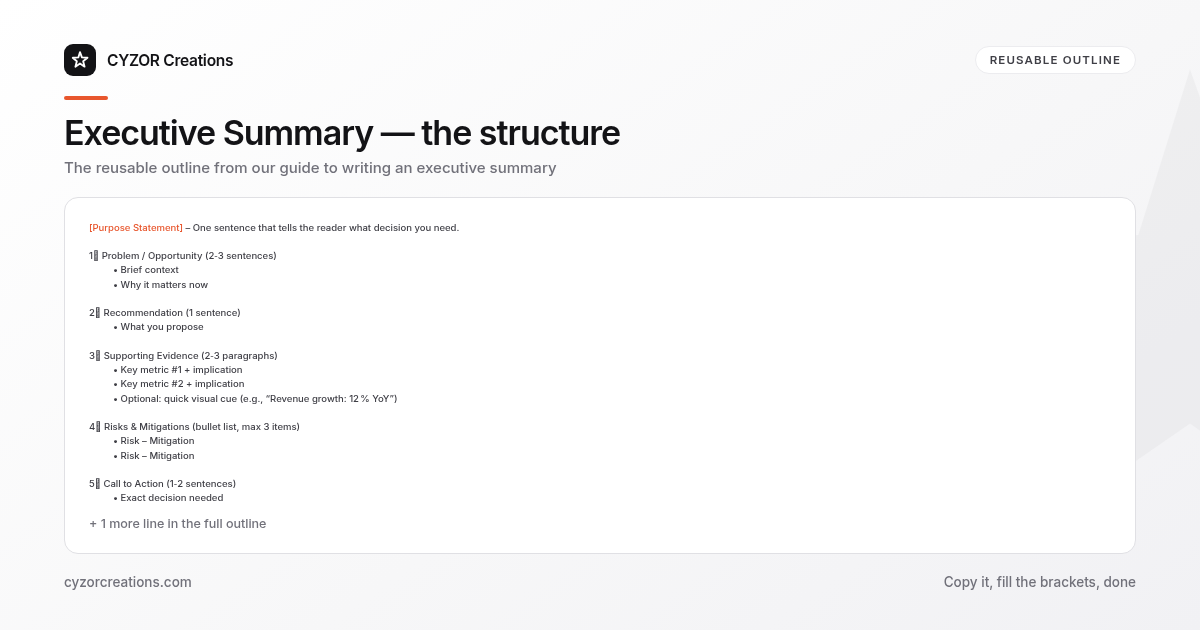
[Purpose Statement] – One sentence that tells the reader what decision you need.

1. Problem / Opportunity (2‑3 sentences)
 • Brief context
 • Why it matters now

2. Recommendation (1 sentence)
 • What you propose

3. Supporting Evidence (2‑3 paragraphs)
 • Key metric #1 + implication
 • Key metric #2 + implication
 • Optional: quick visual cue (e.g., “Revenue growth: 12 % YoY”)

4. Risks & Mitigations (bullet list, max 3 items)
 • Risk – Mitigation
 • Risk – Mitigation

5. Call to Action (1‑2 sentences)
 • Exact decision needed
 • Deadline or next step
Copy‑paste this outline into any new document, replace the placeholders, and you have a reusable executive summary template.
Common Mistakes to Avoid
- Swallowing the whole report – Including every detail defeats the purpose of a summary.
- Assuming prior knowledge – Never rely on the reader to know industry jargon or internal acronyms.
- Mixing analysis with recommendation – Keep the recommendation separate; analysis should support, not replace, it.
- Leaving out numbers – Decision‑makers need concrete figures; vague “significant growth” is useless.
- Ending without a clear next step – If the reader finishes without knowing what to do, the summary fails.
A Short Example
> Purpose: Approve a $1.8 M investment in a cloud‑based analytics platform to reduce reporting lag by 40 % and capture $3.5 M in incremental revenue by FY 2025.
>
> Problem: Our current reporting pipeline takes 10 days, causing missed market windows and inflated labor costs. Competitors now deliver insights within 48 hours.
>
> Recommendation: Allocate the budget and begin implementation in Q2.
>
> Evidence:
> • A pilot with 200 users reduced report generation time from 10 days to 2 days, cutting labor expenses by $250 K annually.
> • Forecast models show a 12 % faster go‑to‑market cycle, translating to $3.5 M additional revenue over the next two years.
> • The platform’s subscription cost is $150 K per year, a 5 % of projected incremental profit.
>
> Risks & Mitigations:
> • Integration complexity – Engage the vendor’s implementation team for a phased rollout.
> • Data security – Apply existing encryption standards and conduct quarterly audits.
>
> Call to Action: Approve the $1.8 M budget by 12 May so the project can start on 1 June.
Pro Tips
- Lead with impact: If you can quantify the upside in the first sentence, the reader’s attention is secured instantly.
- Use active voice: “We will reduce” reads clearer than “Reduction will be achieved.”
- Limit adjectives: Words like “significant” or “substantial” are meaningless without numbers.
- Align tone with audience: For a board of non‑technical executives, keep language plain; for a CFO, foreground financial ratios.
- Proofread for jargon: Run a quick check for any term that isn’t universally understood and replace it with a brief definition or a simpler synonym.